
Guide
How does a teleprompter work?
A teleprompter works by bouncing your script off a pane of angled glass in front of the camera lens. A screen underneath shows the words mirrored, the glass reflects them back readable to you, and the camera films straight through the glass without seeing them, so you read while looking into the lens. Then someone, or something, scrolls the text at your pace.
Get it the day it launches
One email when it's on the App Store. No spam.
Published
By Steve Delarwelle · Updated
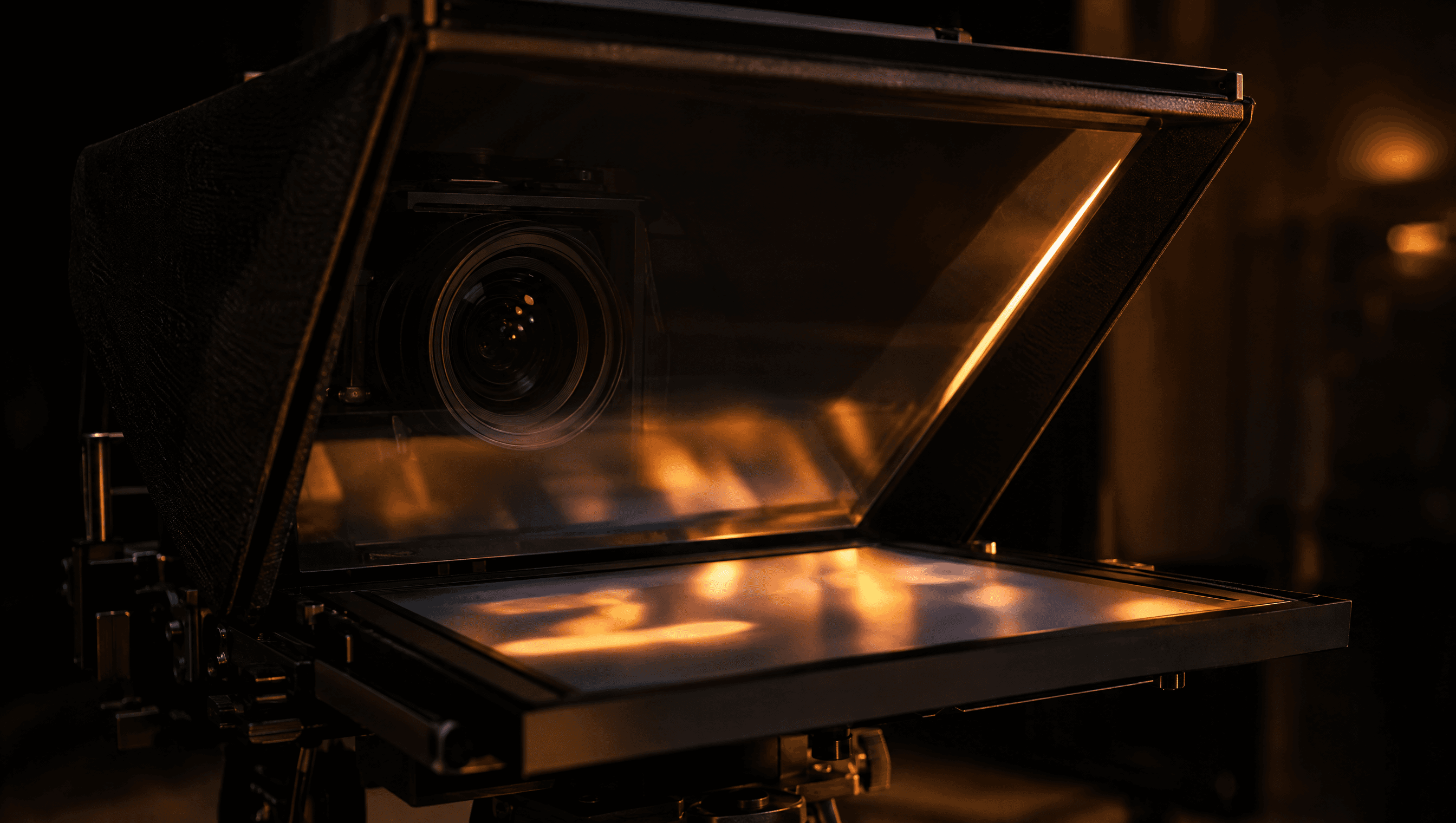
The trick: glass that's a mirror on one side
The heart of a teleprompter is a beam splitter: glass with a coating that reflects some light and lets the rest through. Light from a bright screen below bounces off the front of the glass into your eyes. Light from you passes through the glass into the camera. Because the script is bright text on a black background, the black parts reflect almost nothing, and the camera sees a clear window, not words. That's how Wikipedia and B&H's anatomy of a teleprompter both describe it.
Replacement glass for consumer rigs is sold by its split; Neewer, for example, lists "70/30" beam-splitter glass. In practice the glass sits at roughly 45 degrees to the lens, according to Teleprompter.com.
Why the text is backwards on the screen
A mirror flips left and right, so the screen under the glass shows the script reversed and the reflection reads normally. Older studio monitors did this with reversed scanning; today the teleprompter software flips the text before it reaches the screen, as Adorama's explainer notes. If you've ever put a phone in a glass rig and seen mirror writing, that's the setting you're missing. DuoPrompt calls it Mirror text. Want to build a rig yourself? See how to make a DIY teleprompter.
The parts of a teleprompter
What each piece of a standard camera-mounted rig does.
| Part | What it does |
|---|---|
| Monitor (or tablet, or phone) | Lies face-up under the glass and shows the script, usually bright white text on black, flipped left to right. |
| Beam-splitter glass | A pane of partly mirrored glass in front of the lens, angled (often around 45 degrees) so it reflects the screen up to your eyes while the camera sees straight through it. |
| Hood | A cover around the front of the glass that keeps room light off it, so the reflected words stay readable. |
| Shroud | A fabric sleeve between the back of the glass and the lens that blocks stray light and reflections from reaching the camera. |
| Camera | Sits behind the glass. You look into the lens while reading, and the lens never records the text. |
| Scroll control | Software on a laptop run by an operator, a hand remote or foot pedal you work yourself, or speech recognition that follows your voice. |
The "presidential" kind you see at speeches works the same way, minus the camera: two panes of glass on stands either side of the lectern, with screens near the floor, so the speaker can turn from side to side.
Who scrolls the script?
The glass is the easy part. Keeping the words in step with your mouth is where teleprompters differ.
| Scrolled by | How | Good for | The catch |
|---|---|---|---|
| An operator | Someone at a laptop watches you and speeds up, slows down or pauses the script by hand. | TV news, live events, speeches | Needs a second person who knows your pace |
| You, with a remote or pedal | You set a speed, then nudge it, pause or jump back with a wireless remote or foot pedal. | Solo shoots with a rig | Your hand or foot is busy, and a fixed speed drifts from how you speak |
| A fixed speed | The app scrolls at one rate you pick before the take. | Short, rehearsed reads | Any pause or ad-lib leaves you ahead of or behind the text |
| Your voice | The app listens through the mic, matches what you say to the script, and moves the text to keep your place. | Solo creators, talking-head video, unscripted asides | Needs a fairly quiet room, and works best in the language it supports |
How a voice-activated teleprompter works
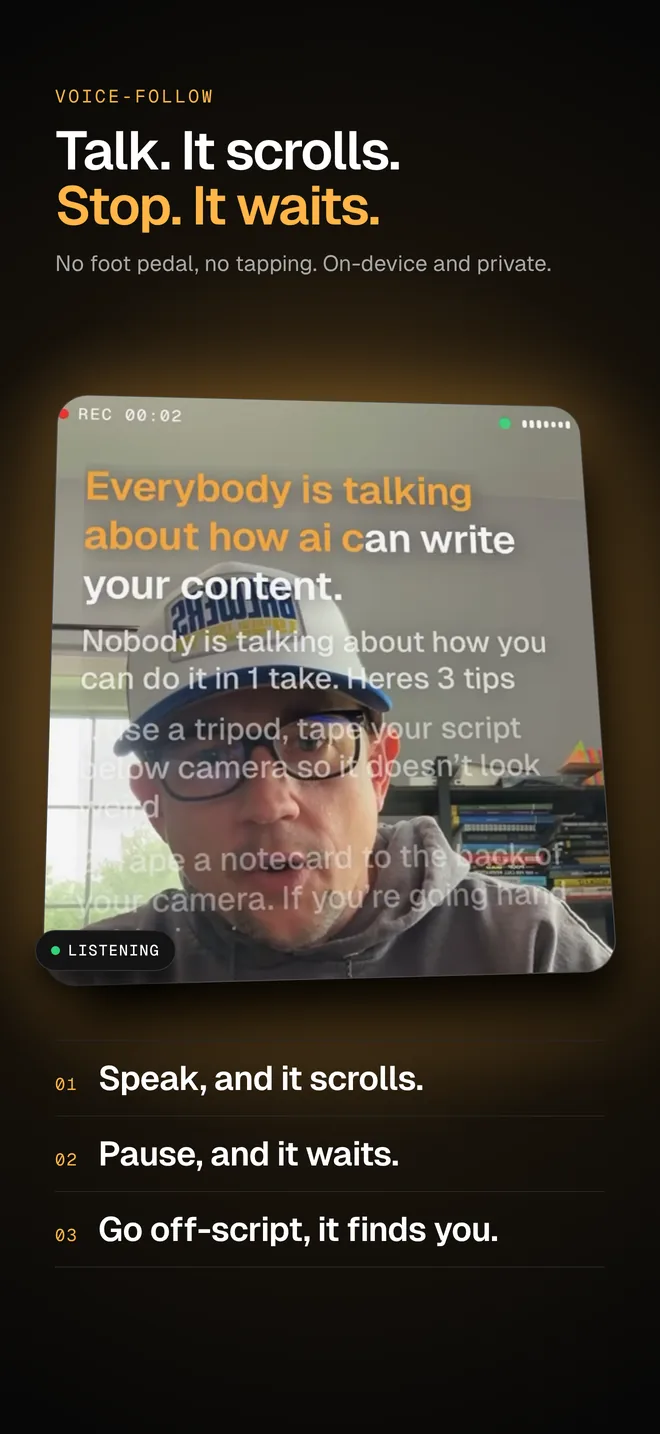
A voice-activated teleprompter replaces the operator with speech recognition. Roughly, it does four things many times a second:
- Listens. The phone's microphone picks up what you say.
- Transcribes. Speech recognition turns the audio into words. DuoPrompt uses Apple's on-device speech recognition where it's supported, so audio isn't sent to DuoPrompt.
- Matches. The last few words you said are compared with the script just ahead of your current line, allowing for a dropped or misheard word.
- Scrolls. The text moves so your line stays in view, and stops when you stop talking.
The payoff is that pace stops being something you set. Most adults talk at about 130 to 150 words a minute in conversation, and broadcast presenters at 150 to 180, according to Teleprompter.com, but nobody holds one speed for a whole take. You slow down for a key point, pause for a breath, or add a line that isn't in the script. A fixed scroll punishes all three; a voice-follow one waits. More on the details in how DuoPrompt's voice-follow works.
Phone teleprompters: no glass needed
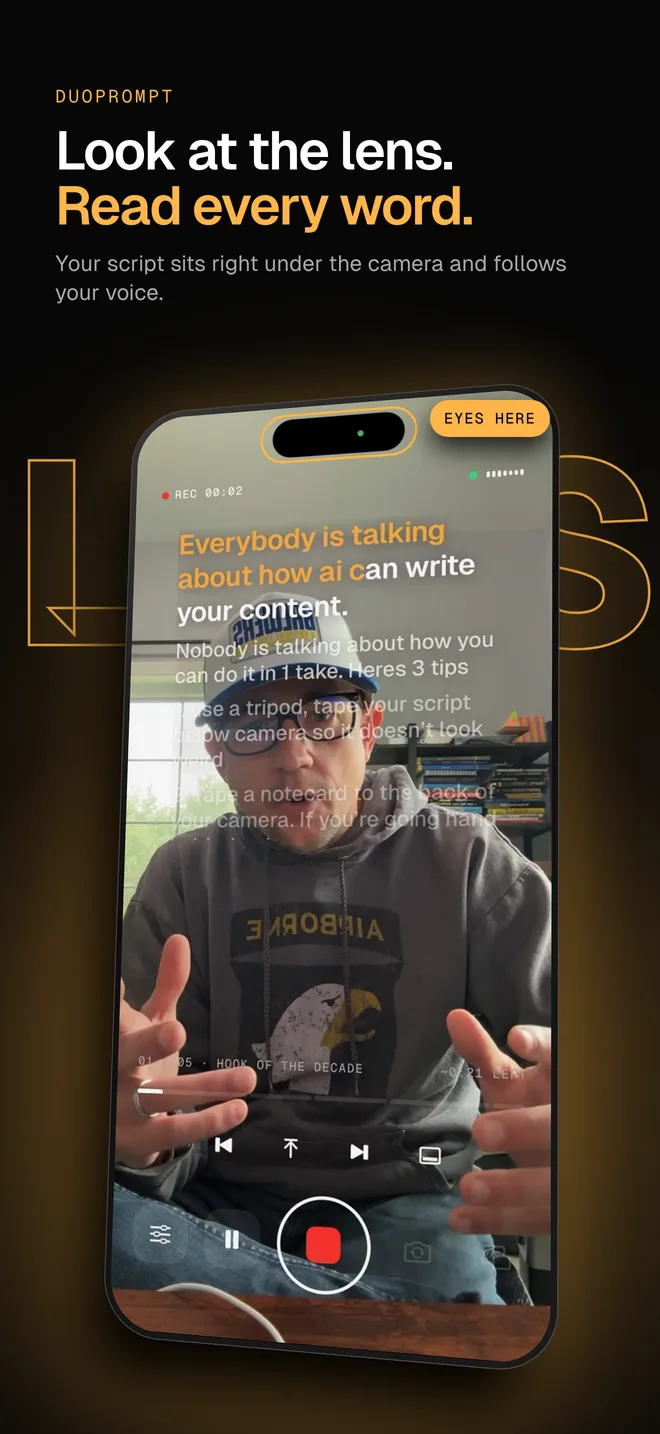
Most people filming themselves today skip the rig entirely. A teleprompter app shows the script on the same screen the front camera sits in, and records the take. There's no reflection, so there's no mirroring; the only job is keeping the words close to the lens so your eyes don't visibly drift down the screen. Keep the text in a narrow band near the top, raise the phone to eye level, and sit back far enough that small eye movements don't show.
A foldable makes that easier. Half-folded on a desk, iPhone Duo stands up by itself, and DuoPrompt puts the script on the upright half right beside the front camera, with the controls on the half lying flat. See whether iPhone Duo has a built-in teleprompter (it doesn't) and how to set one up.
A short history
- 1950
Hubert Schlafly builds the first teleprompter, a motorized paper roll, after actor Fred Barton Jr. suggests the idea. It's first used on December 4, 1950, for the CBS soap The First Hundred Years.
- 1952
Former President Herbert Hoover reads from a Schlafly prompter at the Republican National Convention.
- 1954
Dwight Eisenhower becomes the first president to use one for a State of the Union address, on January 4.
- 1956
Glass prompters, the see-through kind on stands either side of a lectern, appear at the Democratic National Convention.
- 1982
CompuPrompt, the first teleprompter run from a personal computer, arrives. It ran on an Atari 800.
Dates from Wikipedia's teleprompter article. In the UK and much of the Commonwealth the same device is usually called an autocue.
Ready to try one? Write something worth reading with how to write a teleprompter script, check the read time with the script length calculator, and pick up the tips for reading naturally.
Try a teleprompter that follows your voice
DuoPrompt is coming soon to the App Store for iPhone, built for iPhone Duo. Join the launch list and we'll email you the day it's free to download. The free plan includes a manual-scroll teleprompter, 1 saved script and 30-second takes. Pro adds voice-follow scrolling.
One email at launch. No spam.
Teleprompter questions
How does a teleprompter work?
A screen lies under a pane of angled, partly mirrored glass in front of the camera lens. The screen shows the script flipped left to right, the glass reflects it back the right way round to the presenter, and the camera films straight through the glass without seeing the words. An operator, a remote, a fixed speed or the presenter's voice scrolls the text.
Why can't the camera see the words on a teleprompter?
The beam-splitter glass is mostly see-through from the camera's side, and the hood and shroud keep light from the screen from reaching the lens. The text is bright on a black background, so the black areas reflect almost nothing and the glass stays clear to the camera.
Why is the text on a teleprompter backwards?
Because a mirror flips what it reflects. The screen shows the script reversed so that, once the glass reflects it, it reads normally to the person in front of the camera. Teleprompter apps have a mirror setting for this; you only need it with a glass rig, not when reading straight off a phone screen.
How does a voice-activated teleprompter work?
It listens through the microphone, turns your speech into words with speech recognition, finds those words in the script and scrolls to keep your current line in view. When you stop talking, it stops. Good ones allow for skipped or misheard words so a small ad-lib doesn't lose your place.
Do you need glass to use a teleprompter on a phone?
No. A teleprompter app can show the script directly on the screen while the front camera records. The trick is keeping the text close to the lens so your eyes don't visibly drift. On iPhone Duo, half-folding the phone puts the script on the upright half right beside the front camera.